SoftEther VPN Server
SoftEther VPN Server can answer SSTP clients next to its own protocol. This page builds SoftEther VPN Server 4.44 on Ubuntu and sets it up for SSTP from the command line, the way our test server is set up. Its part 8 sets up the profile in the app, on iPhone and on Android.
Every setting below was read from our test server, Ubuntu 24.04 with SoftEther VPN Server 4.44 Build 9807, on 6 November 2026 (vpncmd and the files on the server). The results named on this page come from the test runs listed in Test results.
What you need
- An Ubuntu server with a public IPv4 address. Ours runs Ubuntu 24.04 with 3 vCPUs and 4 GB of memory.
- A DNS name for it, such as
vpn.example.com, for the certificate. - TCP port 443 open, and TCP port 80 while Let's Encrypt issues and renews the certificate.
Ubuntu's own softether-vpnserver package (version 5.01) did not answer SSTP clients on our server. Version 5 turns SSTP off with a setting that 4.44 does not have. Our server runs the 4.44 Stable release built from source, as below.
1. Build SoftEther VPN Server 4.44
apt-get install -y build-essential libreadline-dev libssl-dev zlib1g-dev libncurses-dev git
git clone --depth 1 --branch v4.44-9807-rtm https://github.com/SoftEtherVPN/SoftEtherVPN_Stable.git /opt/softether-stable-src
cd /opt/softether-stable-src
./configure
make
cp -a bin/vpnserver /opt/vpnserver
cp bin/vpncmd/vpncmd /opt/vpnserver/
The tag v4.44-9807-rtm is SoftEther's 4.44 Stable release. make leaves the server program and its data file hamcore.se2 in bin/vpnserver, and the command-line tool in bin/vpncmd; the two commands after it put both in /opt/vpnserver, as on our server. We ran these commands on our server on 6 November 2026 and the build ended without errors.
2. Run it as a service
Our server runs it with this systemd unit:
[Unit]
Description=SoftEther VPN Server 4.44 Stable
After=network-online.target
Wants=network-online.target

[Service]
Type=forking
ExecStart=/opt/vpnserver/vpnserver start
ExecStop=/opt/vpnserver/vpnserver stop
Restart=on-failure

[Install]
WantedBy=multi-user.target
systemctl daemon-reload
systemctl enable --now softether4The server listens on TCP 443, 992, 1194 and 5555. SSTP uses 443.
3. Set the administrator password
All further settings are made with vpncmd. A fresh server has no administrator password; set one at once:
/opt/vpnserver/vpncmd localhost /SERVER /CMD ServerPasswordSetFrom then on, add /PASSWORD:<ADMIN_PASSWORD> after /SERVER, or let vpncmd ask for it. The commands below are typed at its VPN Server> prompt, which vpncmd localhost /SERVER opens.
4. Certificate
SoftEther keeps its own copy of the server certificate. Our server gets a Let's Encrypt certificate with certbot in standalone mode, as an RSA 2048-bit key, and loads it into SoftEther:
apt-get install -y certbot
certbot certonly --standalone --key-type rsa --rsa-key-size 2048 -d <SERVER_HOST>
ServerCertSet /LOADCERT:/etc/letsencrypt/live/<SERVER_HOST>/fullchain.pem /LOADKEY:/etc/letsencrypt/live/<SERVER_HOST>/privkey.pemCertbot renews the certificate by itself. This deploy hook loads each renewed one into SoftEther; it reads the administrator password from /root/.softether-admin, a file only root can read:
#!/bin/sh
# SoftEther keeps its own copy of the server certificate in vpn_server.config, so load the renewed one.
set -e
live=/etc/letsencrypt/live/<SERVER_HOST>
umask 077
printf "ServerCertSet /LOADCERT:%s/fullchain.pem /LOADKEY:%s/privkey.pem\n" "$live" "$live" > /root/srp-cert-in.txt
timeout 60 /opt/vpnserver/vpncmd localhost /SERVER "/PASSWORD:$(cat /root/.softether-admin)" /IN:/root/srp-cert-in.txt < /dev/null > /root/srp-cert.log 2>&1
rm -f /root/srp-cert-in.txt
SoftEther offers TLS 1.3, which the app uses with it.
5. Turn on SSTP and turn off what SSTP does not need
SstpEnable yes
KeepDisable
VpnAzureSetEnable noSstpGet shows SSTP VPN Clone Server Enabled | Yes, KeepGet shows the keep-alive status Disable, and VpnAzureGetStatus shows No.
6. Users
SSTP clients log in to the Virtual Hub named DEFAULT, which a new server already has.
Hub DEFAULT
UserCreate vpnuser /GROUP:none /REALNAME:none /NOTE:none
UserPasswordSet vpnuser /PASSWORD:<PASSWORD>
SoftEther's PPP for SSTP accepts PAP, CHAP and MS-CHAPv2, but no EAP. The app's default, MS-CHAPv2, works. A profile that offers only EAP methods is refused; see Troubleshooting.
7. Give the clients a way out
SoftEther can route the clients' traffic in two ways. Both passed our tests:
| Way | What it is | Result in our tests |
|---|---|---|
| Local Bridge with Linux NAT | The hub is bridged to a tap interface; Linux gives out addresses with dnsmasq and NATs them to the internet. | Every SSTP case passed. On the iPhone a one-minute download ran at 102 to 121 Mbit/s, and three minutes of downloads and uploads at once at 44 Mbit/s down and 107 Mbit/s up. |
| SecureNAT | SoftEther's built-in NAT and DHCP inside the hub, with no Linux network settings. | Every case passed once SoftEther's kernel-mode NAT was running: on the iPhone a one-minute download at 116 Mbit/s, and three minutes of downloads and uploads at once at 19 Mbit/s down and 99 Mbit/s up. A download that started at the same moment as SecureNAT, before the kernel-mode NAT was running, received nothing. |
The Local Bridge kept more download speed while the phone also uploaded; SecureNAT needs no Linux settings at all.
Local Bridge with Linux NAT
Hub DEFAULT
SecureNatDisable
BridgeCreate DEFAULT /DEVICE:soft /TAP:yes
SoftEther creates the interface tap_soft. On Linux, give it an address, turn on forwarding, NAT the clients' range to the internet interface (ours is ens160) and hand out addresses with dnsmasq:
apt-get install -y dnsmasq-base
ip addr replace 192.168.30.1/24 dev tap_soft
ip link set tap_soft up
sysctl -w net.ipv4.ip_forward=1
iptables -t nat -A POSTROUTING -s 192.168.30.0/24 -o ens160 -j MASQUERADE
dnsmasq --interface=tap_soft --bind-interfaces --port=0 --pid-file=/run/srp-dnsmasq.pid \
  --dhcp-range=192.168.30.10,192.168.30.250,255.255.255.0,12h \
--dhcp-option=3,192.168.30.1 --dhcp-option=6,1.1.1.1,8.8.8.8SoftEther keeps the bridge in its own settings, but the Linux part above does not survive a reboot on our server: we run it again after each start. Put it in a script that runs after the SoftEther service starts.
SecureNAT
SecureNAT is one command, without the bridge: SecureNatEnable. Our hub's SecureNAT hands out 192.168.30.10 to 192.168.30.200 with the gateway 192.168.30.1. SoftEther then looks for a faster path, its kernel-mode NAT, and writes The Kernel-mode NAT is starting to its server log (server_log/ in its folder) when it uses it; on our server that came about 10 seconds after SecureNAT started.
RADIUS (optional)
A hub can send logins to a RADIUS server. Ours sends them to the FreeRADIUS server on the same host (FreeRADIUS), and a user marked for RADIUS is checked there:
Hub DEFAULT
RadiusServerSet 127.0.0.1:1812 /SECRET:<RADIUS_SECRET> /RETRY_INTERVAL:500
UserCreate radiususer /GROUP:none /REALNAME:none /NOTE:none
UserRadiusSet radiususer /ALIAS:none
The RADIUS server must know the user too: on FreeRADIUS, add a line for radiususer with its own password as for vpnuser in FreeRADIUS, step 3. A RADIUS user logged in with MS-CHAPv2 and with PAP; a wrong password ended with the app's authentication message. Version 4.44 takes the port as part of the address; it has no separate port option.
Check the server
SstpGet
Hub DEFAULT
SessionList
UserList
While a phone is connected, SessionList shows its session in the hub. The server's own log files are in /opt/vpnserver/server_log/.
8. Set up the app on the phone
Install SRP VPN Connect first, on iPhone or on Android. An SSTP profile has the same fields on both, so the steps below are the same, except for the permission the first connection asks for.
Create the profile
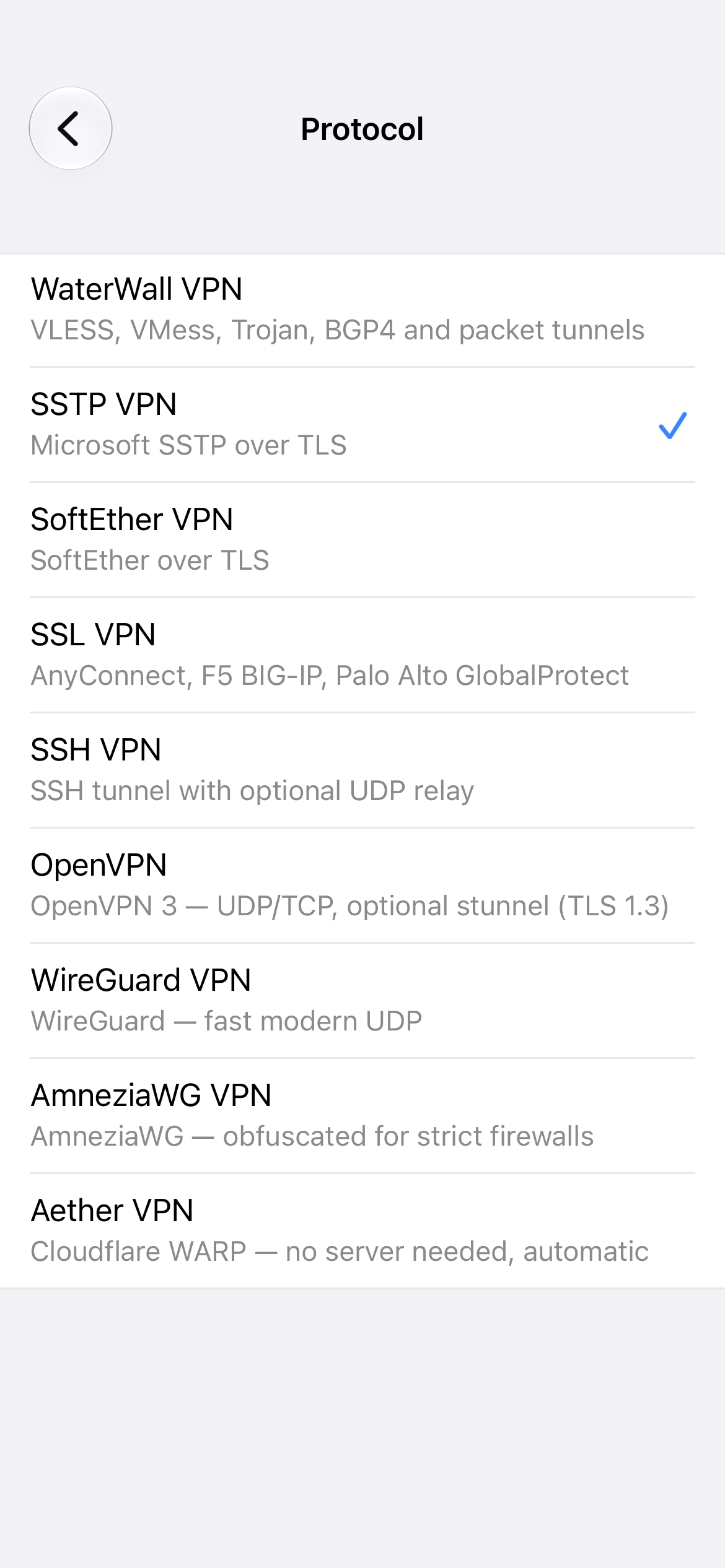
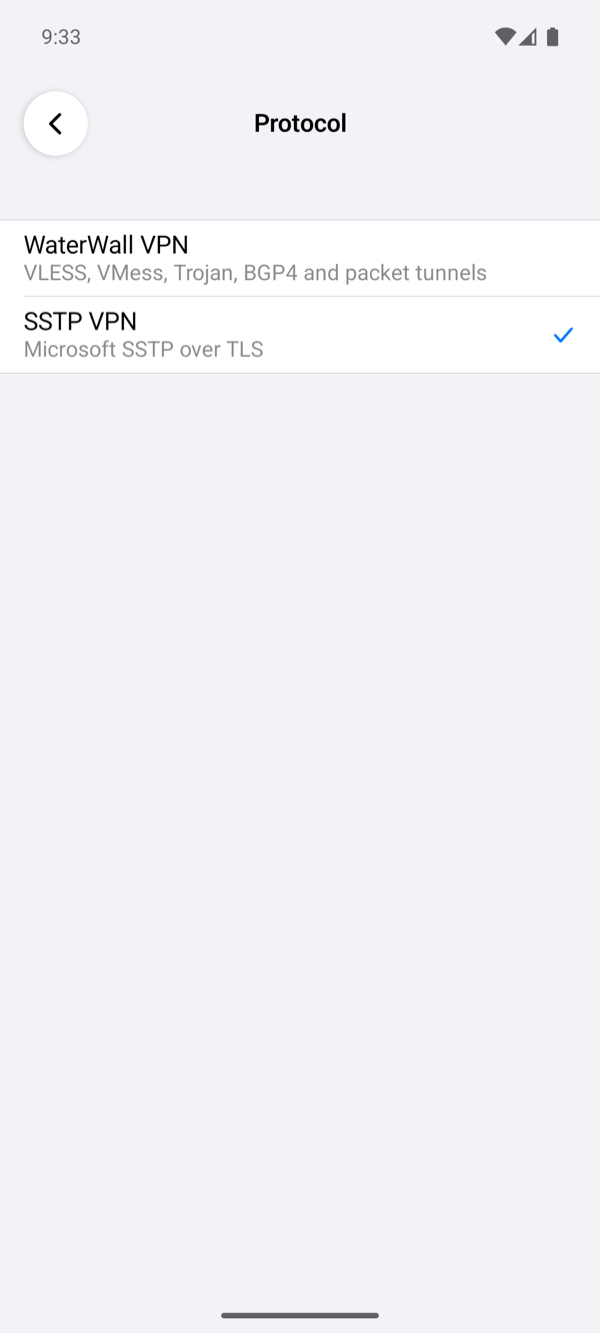
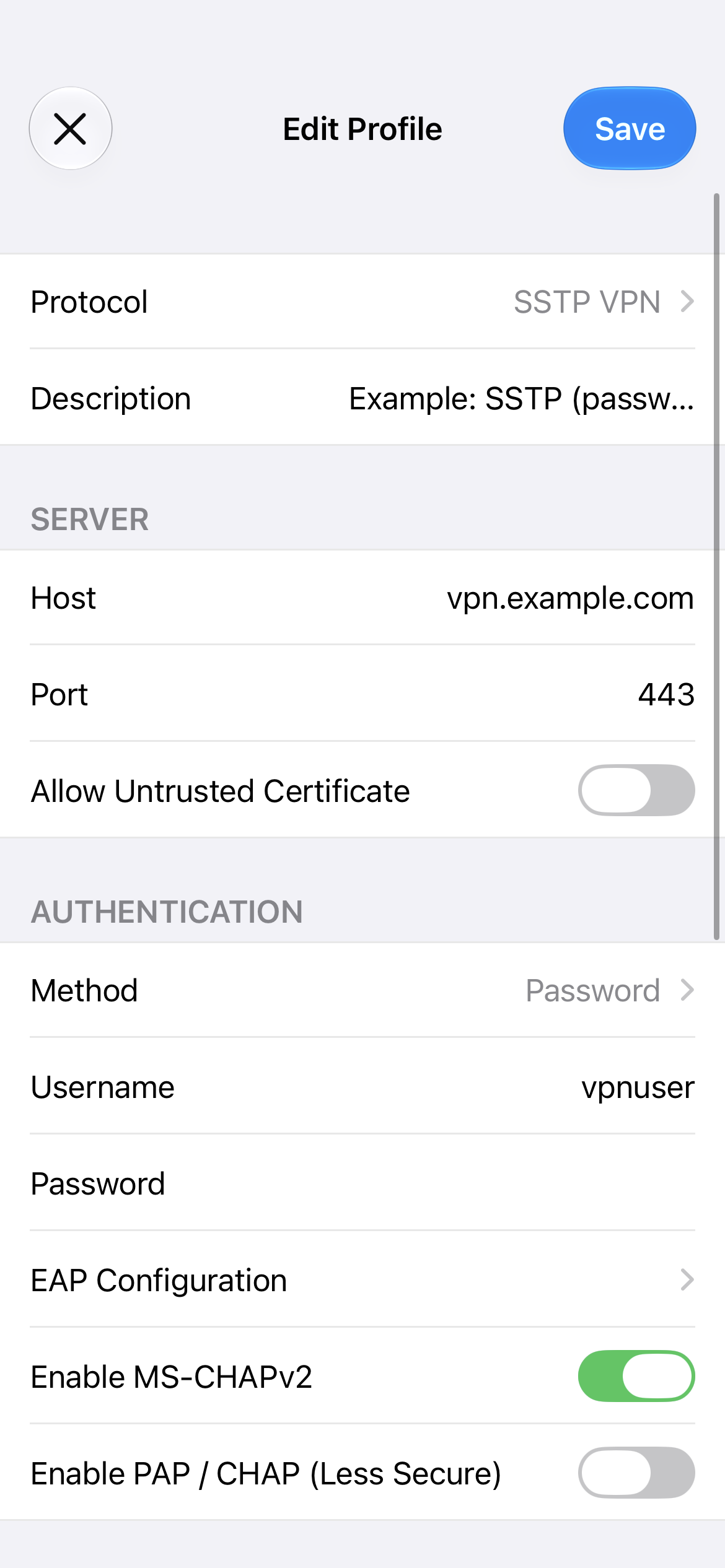
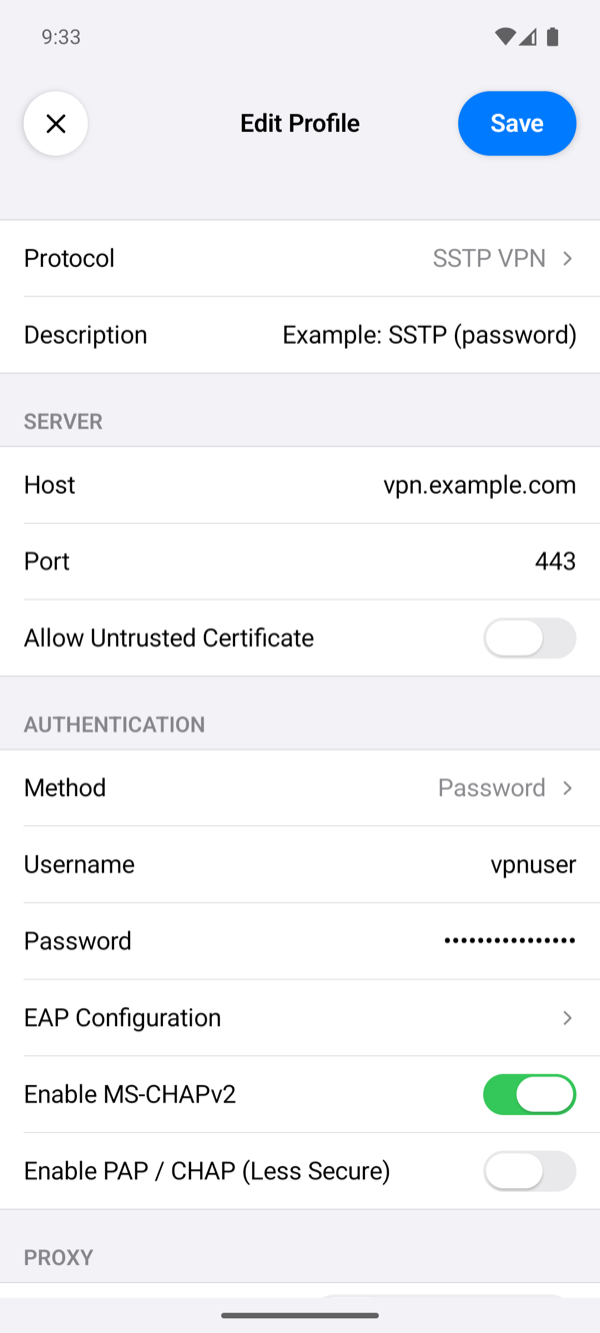
- On the home screen, tap +, tap Protocol and choose SSTP VPN.
- Description: optional, the profile's name on the home screen. When it is empty, the home screen shows the server's name or address.
- Host: the server's DNS name,
<SERVER_HOST>, which the certificate from step 4 is for. Use the name, not the IP address: the app checks the certificate against Host. - Port:
443, the port SSTP uses (step 2). An empty Port means 443 too. - Allow Untrusted Certificate: leave it off.
- Method: Password, the default.
- Username:
vpnuser, the user you made in step 6. Password: the<PASSWORD>you set for it there. The RADIUS userradiususer(RADIUS) logs in the same way, with its password on the RADIUS server. - Leave Enable MS-CHAPv2 on and Enable PAP / CHAP (Less Secure) off. SoftEther's PPP for SSTP has no EAP (step 6): a profile that offers only EAP methods is refused.
- Leave everything under Proxy and Options as it is, and tap Save.
Connect
- On the home screen, select the profile and tap the power button.
- The first time, the system asks for permission: iOS asks whether the app may add a VPN configuration, and Android shows a Connection request. Allow it.
- The status changes to Connected once the server has assigned the phone an address, and the profile's row shows the time of one request through the tunnel.
In vpncmd, Hub DEFAULT and then SessionList show the phone's session in the hub, as in Check the server. If the app shows Connection Failed instead, tap the status under the power button to read the log, and see Troubleshooting.
Setting up the app describes every field.