
Nine protocols
WaterWall, SSTP, SoftEther, SSL VPN, SSH, OpenVPN, WireGuard, AmneziaWG, and Aether on iOS and Android.
Your device / Your server
Nine protocol families on iPhone, iPad, and Android.
Add your profiles, choose your authorized server, and connect—no accounts or subscriptions. Your traffic, profiles, and credentials are not sent to or stored on our servers.
Client software, not a hosted VPN service.
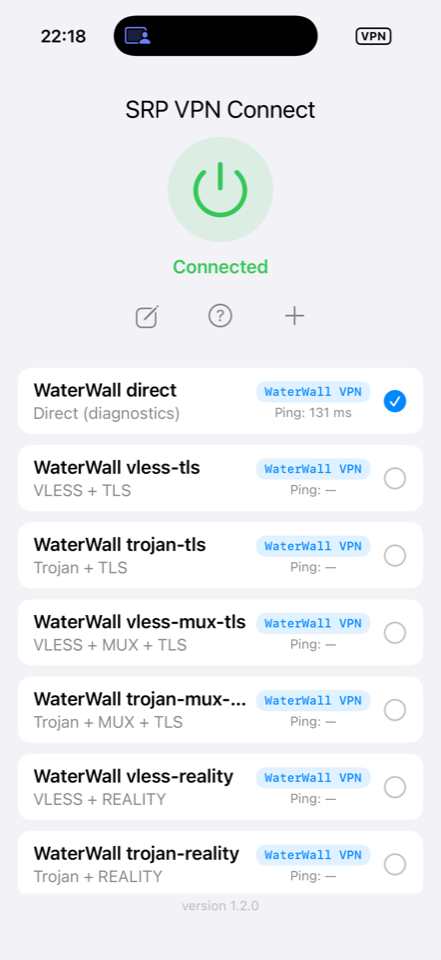
WaterWall, SSTP, SoftEther, SSL VPN, SSH, OpenVPN, WireGuard, AmneziaWG, and Aether on iOS and Android.
Profiles and troubleshooting logs stay on your device. iOS uses the Keychain; Android uses app-private storage.
You choose the endpoint and its operator. Their network policies apply. We never sit between you and that server as a provider.
02 / The actual app
Create profiles, inspect connection state, and troubleshoot from your iPhone or iPad. No bundled server configuration and no account sign-in.
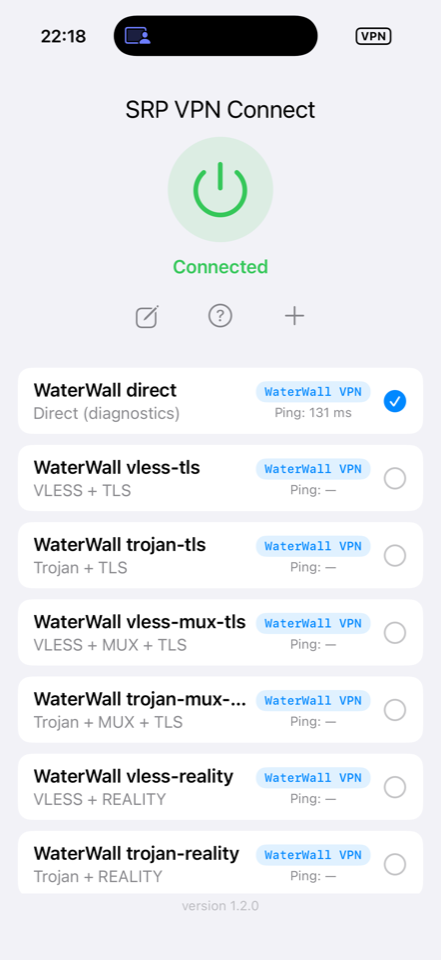
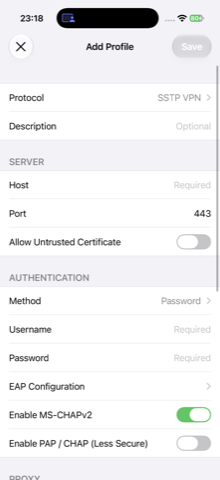
Enter only the server and authentication settings you are authorized to use.
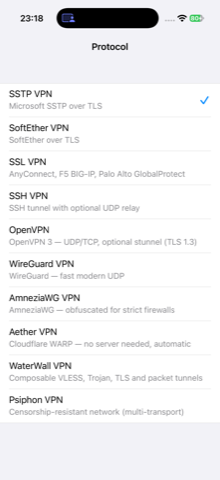
Protocol-specific options keep unrelated switches out of your configuration.
On iOS, passwords, private keys, and certificate blobs use the Keychain. Profile storage keeps references, not those secrets.
03 / Protocols
iOS and Android support all nine families. Compare platforms or open a protocol guide to start configuring your authorized server.
04 / Field guides
Step-by-step server setup, app configuration, results, and troubleshooting. Test pages say what was verified—and what was not—instead of guessing.
05 / Inspect the source
Review the iOS and Android projects, build instructions, third-party notices, and the exact documentation published here.
Browse the client code and documentation on GitHub.
Protocol engines and names belong to their respective owners. Compatibility is not affiliation.
Connect only to servers and networks that you own or have permission to use.
06 / Need a hand?
Install the public iOS beta, find protocol-specific troubleshooting, or open a public issue. No support account is required.